Running a small business often feels like a race against the clock. When you are the CEO, the marketing manager, and the customer support lead all at once, your “to-do” list never truly ends. For years, automation was something only large corporations with massive IT budgets could afford. However, the rise of generative AI has changed that landscape entirely.
Generative AI isn’t just about making robots talk; it’s about using smart software to handle the repetitive, time-consuming tasks that eat away at your day. In practical experience, the goal isn’t to replace the human touch in your business, but to automate the “busy work” so you can focus on the strategy and relationships that actually grow your brand.
Understanding the Role of AI in a Small Business
Before diving into the “how,” it is important to understand what generative AI actually does. Unlike traditional software that simply follows a set of rigid rules, generative AI can “create” based on patterns it has learned. It can draft emails, summarize long meetings, generate social media captions, and even help write basic code for your website.
From a real-world perspective, think of AI as a very fast, very capable intern. It is excellent at following directions and handling first drafts, but it still needs a human supervisor to ensure everything is accurate and on-brand.
1. Automating Content Creation and Marketing
Marketing is often the first area where small business owners feel overwhelmed. Consistently posting on blogs and social media is exhausting. Generative AI can act as a force multiplier here.
Content Ideation and Drafting
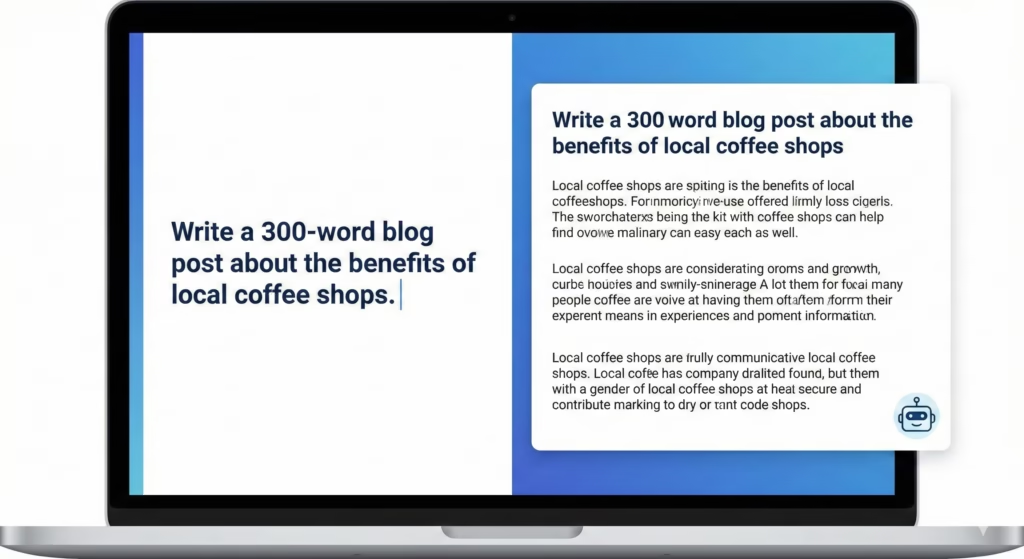
Many business owners struggle with “blank page syndrome.” You know you need to post, but you don’t know what to say. Many users notice that AI is best used as a brainstorming partner. You can provide a few details about a new product, and the AI can generate ten different angles for a blog post or Instagram reel.
Once you have an idea, you can use AI to create a “rough-cut” draft. For example, if you need a 500-word article on “Tips for Maintaining a Home Garden,” the AI can provide the structure and the primary points in seconds. Your job then shifts from “writer” to “editor,” which is significantly faster.
Social Media Management
Instead of spending hours every Sunday writing captions for the week, you can feed your planned topics into an AI tool. By asking it to “write three variations of a caption for this photo—one funny, one professional, and one short,” you save yourself the mental fatigue of switching creative gears constantly.
2. Streamlining Customer Support and Communication
Customer service is vital, but answering the same five questions fifty times a day is not a good use of your time. This is where automation can provide immediate relief.
Smart Email Templates
In practical use, most small businesses receive repetitive inquiries about shipping, pricing, or appointment scheduling. You can use generative AI to build a library of highly personalized email templates.
Instead of a cold, robotic auto-reply, you can train an AI model on your specific brand voice. This allows you to generate responses that feel warm and helpful but take only a few clicks to send. This ensures that your customers feel heard without you having to type every word manually.
AI-Enhanced Chatbots
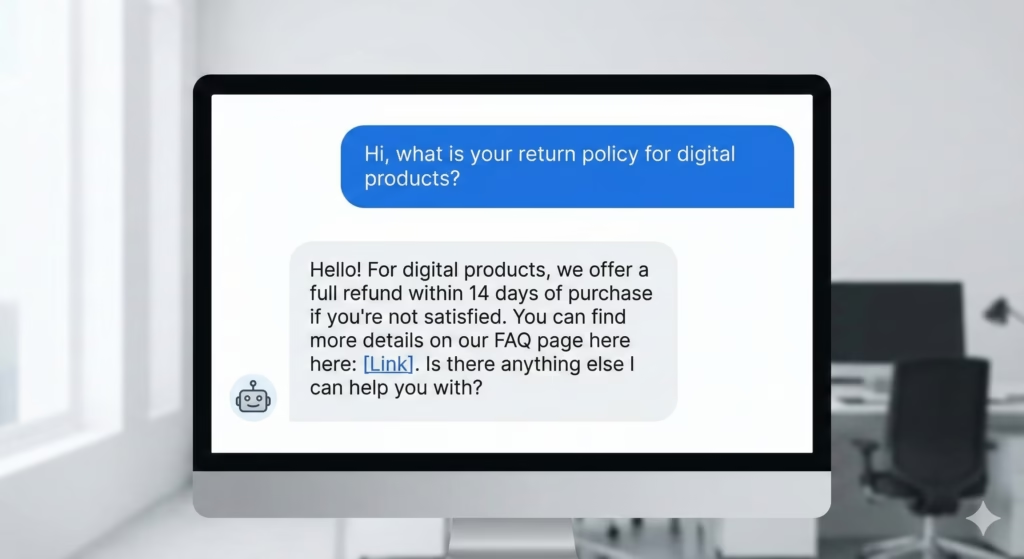
Modern AI chatbots are a far cry from the frustrating systems of five years ago. Today’s generative bots can “read” your website’s FAQ page and answer customer questions in a conversational way. If a customer asks, “Do you offer refunds on digital products?” the AI can find that specific policy in your documentation and explain it clearly to the user in real-time.
3. Simplifying Internal Operations and Admin Tasks
The “back office” is where most small businesses lose efficiency. Administrative tasks are the silent killers of productivity.

Summarizing Meetings and Documents
If you spend a lot of time in Zoom calls or reading long industry reports, AI can be a massive time-saver. There are tools that can listen to a meeting and provide a concise summary of the “key takeaways” and “action items.”
From practical experience, this prevents the common problem of ending a meeting and forgetting who was supposed to do what. Having a clear, AI-generated summary sent to your inbox immediately after a call keeps the whole team accountable.
Data Organization and Spreadsheet Help
Not everyone is an Excel expert. Generative AI can help you manage your business data by writing complex formulas or even explaining what a set of data means. If you have a list of sales from the last six months, you can ask an AI tool to “identify the three months with the highest growth and suggest why that might have happened.”
4. Personalized Sales Outreach
For businesses that rely on cold outreach or lead generation, AI can make the process feel much more human. Instead of sending the same generic “copy-paste” message to a hundred people, you can use AI to help personalize each one.
By inputting a prospect’s LinkedIn bio or their company’s recent news, the AI can suggest a personalized opening line for your email. This increases your chances of getting a response because it shows you’ve done your homework—even though the “homework” was assisted by technology.
The Human-in-the-Loop Philosophy
While the potential for automation is vast, it is crucial to maintain a “human-in-the-loop” approach. From a practical standpoint, AI can occasionally “hallucinate” or state facts that aren’t entirely true.

Always follow these three rules when automating:
- Review Everything: Never let an AI-generated email or blog post go live without a human eye looking at it.
- Maintain Your Voice: AI tends to be a bit generic. Add your own anecdotes, your own humor, and your own specific business expertise to make the content truly yours.
- Check for Accuracy: If the AI mentions a date, a price, or a technical fact, double-check it.
How to Get Started (Step-by-Step)
You don’t need to automate everything at once. In fact, trying to do so often leads to confusion.
- Step 1: Identify the Friction. For one week, write down every task you do that feels “boring” or “repetitive.”
- Step 2: Start Small. Pick one task—like writing social media captions—and try using an AI tool for it.
- Step 3: Create a Workflow. Once you find a prompt or a tool that works, document how you did it. This becomes your new “standard operating procedure.”
- Step 4: Scale Slowly. As you get comfortable, move on to more complex tasks like customer service bots or data analysis.
Logical Reasoning: Why AI is Better than Traditional Automation
Traditional automation is “If This, Then That.” It is binary. If a customer clicks a button, send Email A.
Generative AI is “contextual.” It understands that if a customer sounds frustrated in an email, the response should be different than if the customer sounds excited. This nuance is what makes it so powerful for small businesses. It allows you to automate at scale without losing the empathy and personality that makes your small business special.
Final Thoughts
Automating your small business workflow with generative AI isn’t about being “lazy”; it’s about being efficient. By offloading the mechanical parts of your business to technology, you free up your mental energy for the creative and relational parts of your work.
In the real world, the businesses that thrive are the ones that use every tool at their disposal to provide better service and faster results. AI is simply the latest, and perhaps most powerful, tool in that kit. Start small, stay involved in the process, and you will likely find that you have hours of your week returned to you.